




The short version
aiCarousels is a writer and a designer in one app. You bring the idea; it writes the post in a voice you choose, lays it out in a theme, sizes it for the platform and gets it ready to post. Then you change whatever you like, by hand or by asking.
- Say what it’s about. One sentence, or a link, a YouTube video, a PDF or your notes.
- Pick who writes it and how it looks. A ghostwriter, a theme, the length and the platform. Or leave them on Auto.
- Generate. The slides are planned, written and laid out in about 30 to 60 seconds.
- Make it yours. Type over any word, swap layouts, or describe a change and let the AI do it.
- Check it and post it. Write the caption, preview it on the platform, then post to LinkedIn or download it ready-sized.
What you can make
Four kinds of post, all from the same box on Home and the same editor.
Carousels
Swipeable slides for LinkedIn, Instagram, TikTok, X, Threads and Facebook. The heart of the app. AI carousel generator.
Text posts
Words only, for LinkedIn, X and Threads, with a live preview of the feed. Text posts.
Image posts
One picture that says it at a glance: a number, a quote, a checklist, a comparison. Image posts.
Video posts
Your words over a moving clip, as an MP4 for Reels, TikTok and YouTube Shorts. Video posts.
New to the format? Start with what a carousel post is and why carousels work.
Start with an idea, or with what you already have
Everything starts in the box on Home. Pick what you’re making (carousel, text post, image post or video post), then type what it’s about. One sentence is enough: “3 pricing mistakes new founders make”.
Already have the material? Click Add source, or paste a link or drop a PDF straight on the box. The writer reads it and turns it into slides, keeping your facts.


Ways to start
| You have | What happens | Guide |
|---|---|---|
| An idea or a topic | The writer plans the angle, the hook and every slide. | Topic to carousel |
| An article or web page | Paste the link. The main points become slides. | URL to carousel |
| A YouTube video | Paste the link. The video is turned into a carousel. | YouTube to carousel |
| A PDF | Drop it on the box. Reports, ebooks and decks work well. | PDF to carousel |
| Your notes or a draft | Paste the text, or an outline with one line per slide. | Text to carousel |
| Slides from ChatGPT or Claude | Import them, and keep your words or let the writer polish them. | Import slides |
| Nothing yet | Ask for ideas built on what works in your niche. | Post ideas |
Long sources are read from start to finish, even transcripts and reports, not just their first page. Every way in, side by side: all the ways to start.
Who writes it: the ghostwriters
Next to Generate sits the writer. aiCarousels has 19 ghostwriters, each with a real voice: a plain-spoken founder, a warm teacher, a sharp analyst, a storyteller and more. The writer you pick writes the slides, the caption and every rewrite, so the post sounds like one person from the first slide to the last. Leave it on Auto and the app picks the one that suits your topic.
Want it closer to how you talk? Keep the writer nearest to your voice in your brand kit, with your facts, and every carousel starts from both.
The other choices in the bar
Theme, length and platform sit beside the writer. More options adds the format (a list, a story, a how-to, a myth vs fact and 15 in all), the goal (saves, comments, followers, leads and more), words per slide, the language and how it ends.
It writes in 27 languages. Leave the language on “Same as my text” and it writes in the one you typed in.
How it looks: themes, layouts and your brand
The design is done for you, and every part of it can be changed.


What shapes the design
| Part | What it does |
|---|---|
| Themes | About 95 looks: colours, fonts and backgrounds for every slide at once. Change it in one click, or create one with AI from a screenshot or your website. |
| Layouts | 304 layouts, from big statements and lists to charts, quotes, timelines and app screens. Each slide gets one that suits its words. |
| Brand kits | Your logo, colours, fonts, handle and facts, applied to every carousel you make. |
| Signature | Your name, photo and handle on the slides, so people know whose post it is. |
| AI pictures | Pictures made for each slide, or stock photos, or your own. |
| Templates | 73 finished carousels with proven structures to start from. |
Generate, and watch it being written
Press Generate. The writer plans the slides, writes them, and fits each one to a layout while you watch the headlines arrive. It usually takes 30 to 60 seconds, then the carousel opens in the editor. How long a whole carousel takes, start to post.
The first slide gets a hook built to stop the scroll, the middle slides keep a rhythm, and the last one asks for the action you chose as the goal. For hook ideas of your own, see LinkedIn post hooks.
Change anything in the editor
The editor shows your slides side by side, the way people will swipe them. Click any text and type over it. The panel on the right follows what you select: the whole carousel, one slide, or one text or picture.
Under the slides is the Ask AI bar: a box that says “Ask AI to change anything…”. Type “a punchier hook”, “shorter”, “simpler” or “add an example”, and your writer rewrites the words, on one slide or all of them. Select a text first and Rewrite, Shorter, Longer and Simpler work on just that.


- Smart text fit keeps every line inside its box; if one runs long, “Shorten to fit” trims it in the same voice.
- The freeform editor lets you drag a headline anywhere, with guides that snap, and run pictures across the seam between slides.
- Versions keeps alternative takes of a slide to switch between.
- Undo keeps your last 80 steps, and every change saves itself.
Step by step, with every button: how to use aiCarousels. Design advice that holds on any tool: carousel design tips and fonts for carousels.
Write the caption and check it before it goes out
Switch from Design to Caption and the same writer drafts the text that goes with your slides, with a marker where the platform cuts it at “…more”. More on captions.
Preview shows your real slides the way they’ll look in the feed on LinkedIn, Instagram, TikTok, X or Threads. Under it, a “Ready to post?” checklist catches what costs reach: a long first slide, text too small to read on a phone, a caption that’s too long, no question at the end. Ready to post.
Post it, schedule it, or download it
On LinkedIn, Post to LinkedIn sends it straight to your profile as a document people swipe, with your caption. Pick Later to schedule it for a day and time; it goes out on its own, even with the app closed. For every other platform, download it ready-sized and the Post button copies your caption and shows the steps.


Export as
Where it goes, and how
| Platform | What you get | Guide |
|---|---|---|
| Posted for you as a swipeable document, or a PDF to upload | Post a carousel on LinkedIn | |
| PNG slides in order, sized for the feed | Make a carousel on Instagram | |
| TikTok | Tall slides for a photo carousel, or a swipe video | Make a carousel on TikTok |
| X | PNG slides, posted in groups of 4 | Post a carousel on X |
| Threads | PNG slides in order | Post a carousel on Threads |
| PNG slides in order | Post a carousel on Facebook |
Every download is HD, 2,160 pixels wide. Sizes for each platform: carousel sizes.
Text posts, image posts and video posts
 Brand kit ·Fernando


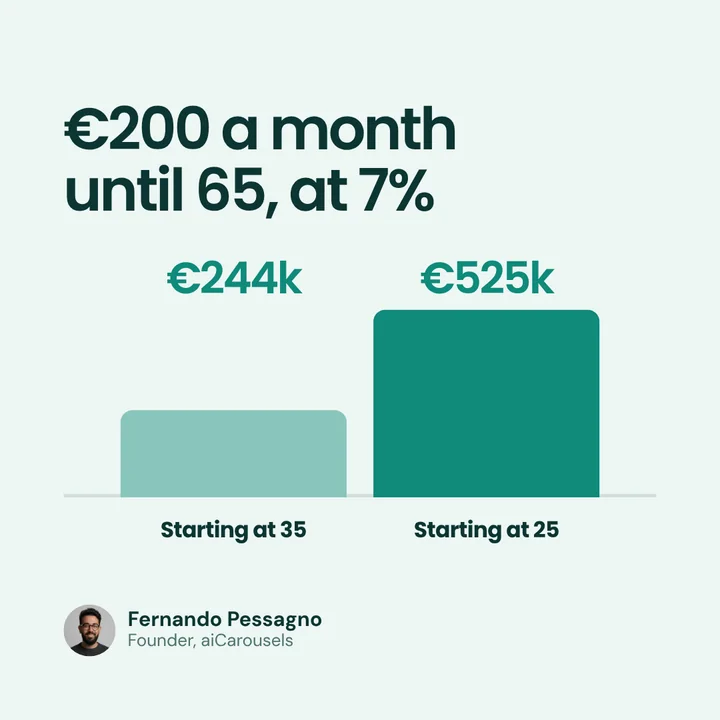


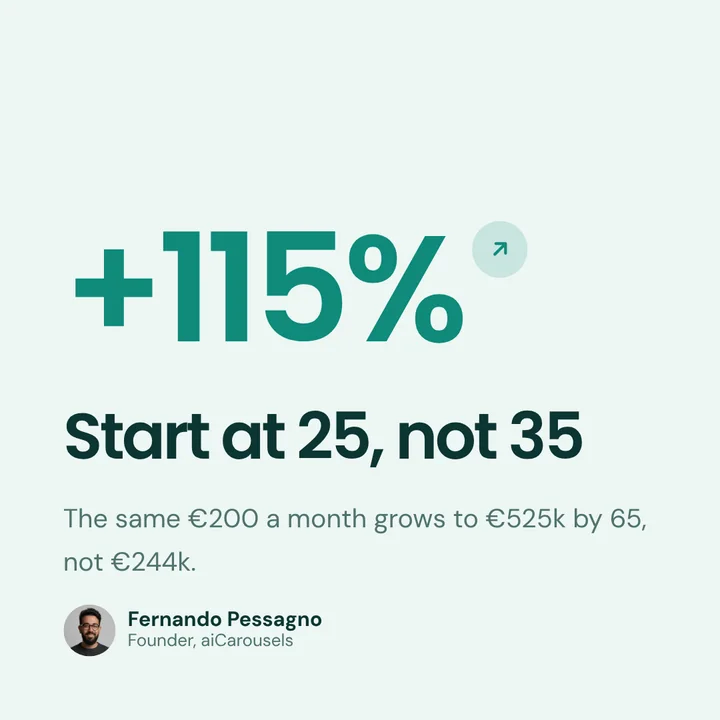










Text posts
Pick Text post in the box on Home, say what it’s about, choose LinkedIn, X or Threads, and your ghostwriter writes it. It opens in a simple editor with a live preview of the feed, including the “…more” fold. Like a post… borrows how a post you admire is built (its hook, its rhythm, its shape) without borrowing what it says. Text posts · Write LinkedIn posts with AI.
Image posts
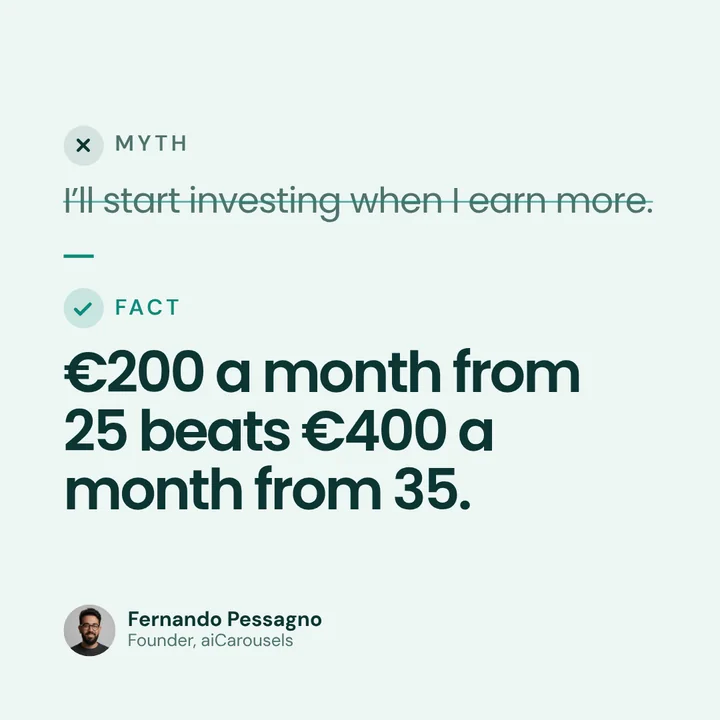
Pick Image post and say what the image should say. The AI reads what your content holds (real numbers, steps, two sides, a quote, a framework) and designs it in the layouts that show it best: a matrix, a funnel, a stat with its source, myth vs fact. You get several takes on the same idea and keep your favourite. Or start from a layout yourself. Image posts.
Video posts
Pick Video post and the AI writes the words on screen. Add a clip: your own, or one from the free stock library. Trim it, keep or mute its sound, and download an MP4 for Instagram Reels, TikTok or YouTube Shorts. A carousel can also be downloaded as a swipe video. Video posts.
Get more from every post
Tools that multiply one idea
| Tool | What it does |
|---|---|
| Inspiration | Save posts you like and make yours in their style. |
| Chrome extension | Saves carousels and posts from LinkedIn as you scroll, ready to reuse. |
| Post ideas | Ideas for your next posts, ready to turn into carousels. |
Keep it organised, alone or as a team
Everything you make lands in Projects, with folders, search and a bin for what you delete. Signed in, it’s saved to your account and follows you to any device. Your pictures and clips live in Media, ready to reuse.
Team puts several people on one bill with one pooled allowance, and room for up to 50 brand kits, so an agency can keep every client’s look and voice apart. Who it’s for: agencies, creators, coaches, educators and personal brands, or every use case.


On your phone too
The whole app works in a phone’s browser: make a carousel on the train and post it from there. On Android there is also the aiCarousels app on Google Play. aiCarousels on mobile.


Prefer to write it yourself?
AI is optional. Blank carousel opens the editor with starter slides in your theme. Edit this example, on any template, gives you a finished carousel to change. Import slides with “Keep my words” lays out text you already wrote without touching a word.
Trying it, and what Pro adds
You can make your first carousel from your own idea in the box below, without an account, and change every slide. Pro unlocks every writer, theme and layout, downloads with no mark, and posting and scheduling. Team adds seats on one bill and more brand kits. See the plans.